
AudiencePoint analysis quick reference
AudiencePoint provides a number of analysis types designed to answer different questions about your audience. Some focus on list quality and address validity, while others evaluate inbox placement, engagement, or overall audience health.
Before creating a new analysis, choose the option that best matches your goals. The summaries below provide a high-level overview of each analysis, what it measures, and when it is typically used. If you’re unsure which analysis to run, this guide is the best place to start.
Already know which one you want to run? Once you’ve selected the analysis that best fits your goals, jump to the steps for running an analysis.
Quick reference
| If you want to… | Choose this analysis |
|---|---|
| Validate email addresses before sending | Address Verification |
| Check whether emails are reaching the inbox or spam folder | Inbox Placement |
| Identify recently active subscribers | Spruce Engagement |
| Evaluate both inbox placement and subscriber engagement | Inbox and Engagement |
| Benchmark overall audience quality and marketability | Net Marketability |
| Predict which subscribers are most likely to engage | Sycamore Engagement |
| Compare with historical Legacy Spruce analyses | Legacy Spruce Engagement |
Address Verification
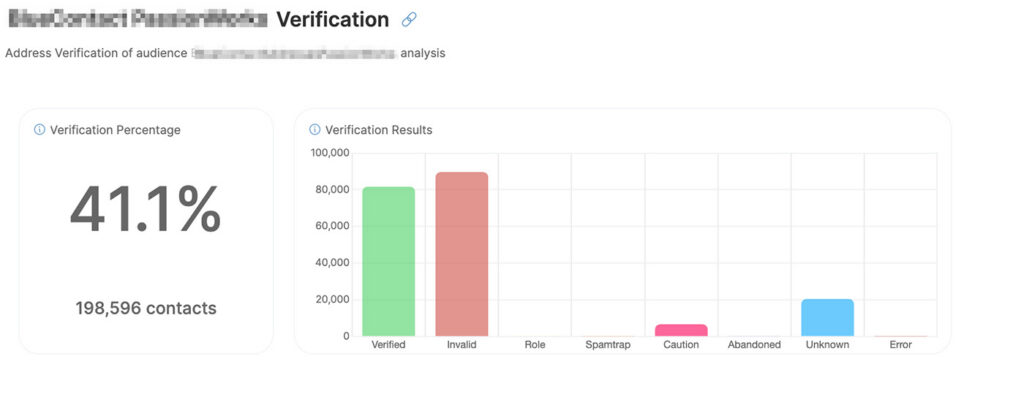
Address Verification evaluates the quality and validity of email addresses within your audience. It helps identify invalid, unreachable, or potentially problematic addresses before they impact deliverability, sender reputation, or campaign performance.
- Best for:
- Validating newly acquired email lists
- Cleaning existing subscriber databases
- Reducing bounce rates before a campaign
Inbox Placement
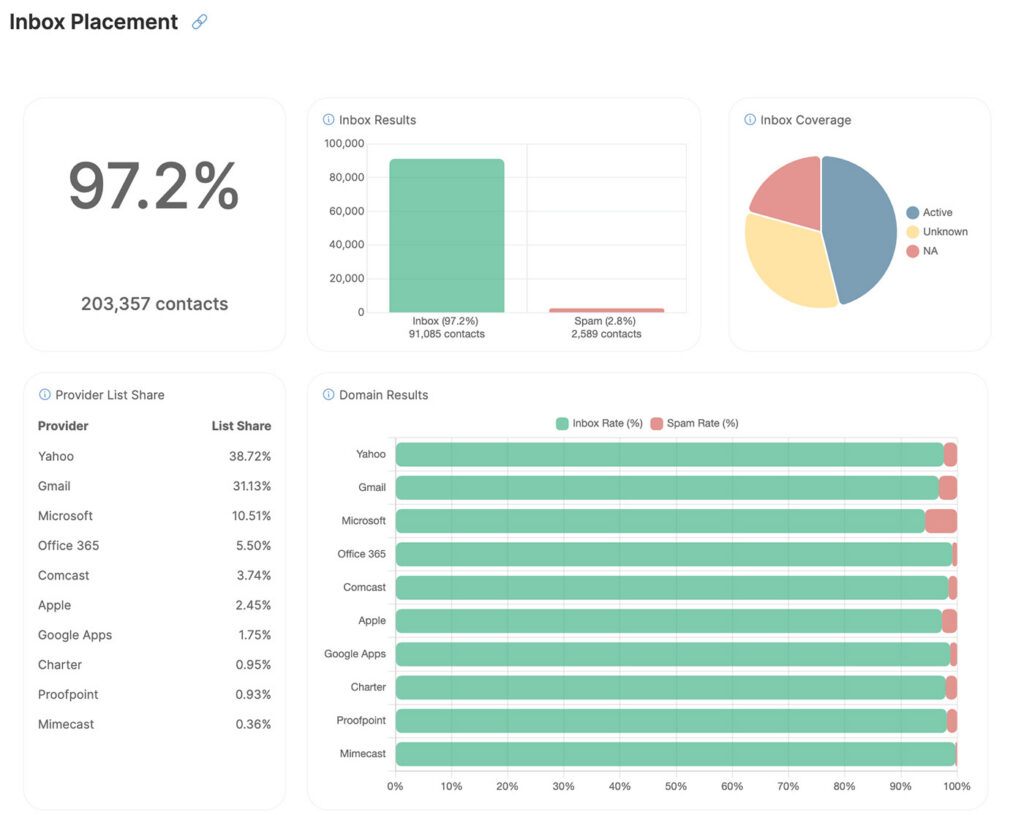
Inbox Placement estimates whether subscribers are receiving your messages in the inbox or the spam folder. Unlike traditional deliverability metrics, which only indicate whether a message reached the receiving mail server, Inbox Placement provides insight into whether subscribers are likely seeing your emails.
- Best for:
- Investigating deliverability concerns
- Monitoring inbox performance over time
- Validating audience quality before important campaigns
Spruce Engagement
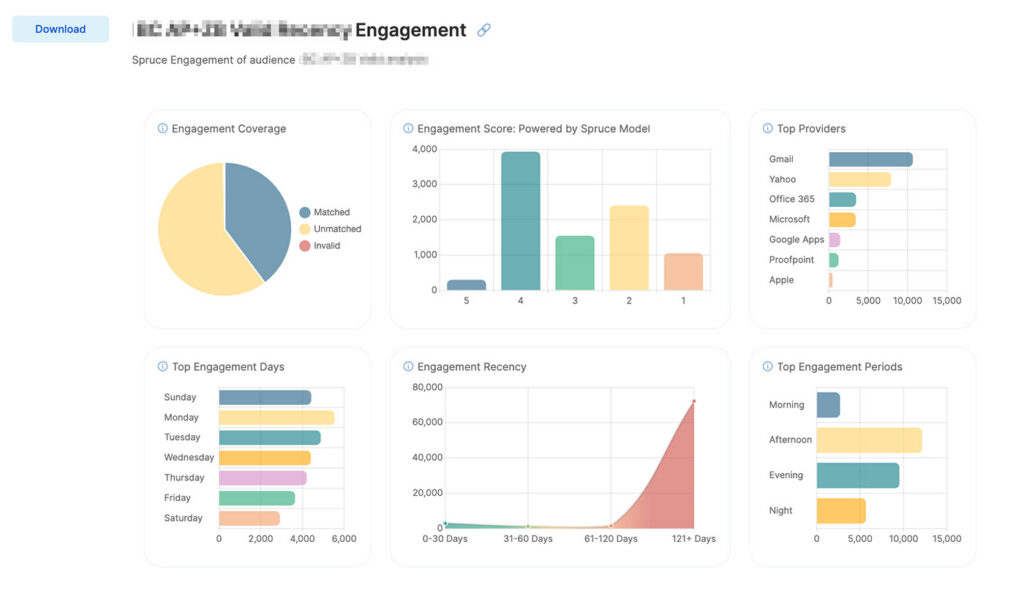
Spruce Engagement measures recent subscriber engagement activity to identify subscribers who are actively using their inboxes today. By focusing on recency, it helps marketers prioritize subscribers who are more likely to respond while reducing the risks associated with repeatedly mailing inactive audiences.
- Best for:
- Building active audience segments
- Planning reactivation campaigns
- Improving sender reputation through smarter targeting
Inbox and Engagement
Inbox and Engagement combines inbox placement analysis with subscriber engagement insights to provide a more complete view of audience health. By evaluating both deliverability and engagement, it helps marketers understand not only whether messages are reaching the inbox, but also whether subscribers are actively interacting with them.
- Best for:
- Evaluating overall audience quality
- Monitoring ongoing email program performance
- Identifying opportunities to improve both deliverability and engagement
Net Marketability
Net Marketability evaluates the overall health and marketability of an audience by combining multiple indicators, including audience validity, engagement potential, reachability, and compliance-related risk. It provides a high-level benchmark for understanding the overall quality of an email audience.
- Best for:
- Benchmarking overall audience health
- Preparing executive summaries
- Identifying improvement opportunities before major campaigns
Sycamore Engagement
Sycamore Engagement uses AI-powered predictive analysis to estimate which subscribers are most likely to engage with future campaigns. Rather than measuring only recent activity, it helps marketers prioritize audiences based on their predicted likelihood of responding.
- Best for:
- Prioritizing campaign audiences
- Identifying high-value subscribers
- Improving engagement and conversion rates
Legacy Spruce Engagement is the original version of AudiencePoint’s Spruce Engagement analysis and is maintained primarily for compatibility with existing reports and workflows. New analyses should generally use Spruce Engagement, which reflects the current scoring methodology
How to run an analysis
All analysis types use the same simple setup process.
- Go to audiencepoint.com and click login
- Select the audience you want to analyze.
- Choose the analysis type you want to run.
- Enter a clear name for the analysis.
- Click Create Analysis.
- When it is done running, you can view this view or download under the Analyses tab.
AudiencePoint processes analyses in the background, so you don’t need to keep the page open while they run. You’ll receive an email notification when your analysis is complete.